Answers to common questions about Ticker.
Didn't find what you need? Get in touch
No matching questions. Try a different search, or contact us.
General
Who’s this app for?
Ticker is built for freelancers and teams whose favorite Mac desktop timer doesn’t send hours to Jira or Tempo. It bridges that gap automatically, saving you from having to manually transfer your timesheet data every month.
MoreHow does tracking work?
(todo) Start a timer from the menu bar or log hours after the fact. Ticker notices when you step away, keeps going offline, and sends worklogs to Jira—or Tempo, if you have Pro.
MoreIs my data safe?
Yes! All your data is stored either locally on your Mac or directly in Jira and Tempo—nowhere in between.
MoreCan I adjust tracked time after it was tracked?
(todo) Yes. Open the worklog and edit the start time or duration—Ticker updates the entry in Jira (and Tempo, if you log there) the same way it would for a new worklog.
MoreJira
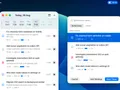
Can I create a new Jira task and start a timer directly from it?
Yes! You can create a new work item and immediately start a timer or add a worklog right after creating it.
MoreCan I reorder Jira Sites?
Yes! You can reorder your list of connected Jira sites anytime with an active Ticker Pro license.
MoreCan I see details of work items in the free version?
Yep! You can view full work item details in the free version, making it easy to do a quick check without having to open Jira on the web.
MoreCan I update the time on an active timer?
Sure can! Active timers are editable the exact same way as existing worklogs.
MoreDo I need a Jira account to use Ticker?
(todo) Yes. Ticker is a Mac timer for Jira (and Tempo). You sign in with your Jira account so worklogs can go to your site—there isn’t a standalone mode without Jira.
MoreHow do I change my Jira task’s status? (e.g., from To Do to In Progress)
The fastest way is to right-click the worklog and select your desired status directly from the status menu! You can also update it in the main work item editing window.
MoreHow do I connect more than one Jira site?
You can link multiple Jira accounts with Ticker Pro! Just add each site in Settings, and you'll be able to switch between them easily whenever you search for work items to start a timer or add a worklog.
MoreTempo
Does Ticker work with Tempo?
Yes. Ticker Pro syncs worklogs and your organization’s work attributes directly into Tempo, so you don’t have to copy time between tools.
Does Ticker support Tempo’s dynamic dropdown work attribute?
Yes! You can select and update these attributes seamlessly directly inside Ticker—a feature that even Tempo’s official mobile app doesn't support. 🤙
I don’t see Tempo-specific work attributes
Head to your site's settings and make sure "Log time using" is set to Tempo (and that you have an active Ticker Pro license). If you're logging directly to Jira, Tempo work attributes are bypassed entirely.
I'm not a Ticker Pro subscriber, but my worklogs still show up in Tempo—how come?
That's completely normal! Tempo automatically picks up standard Jira worklogs by default, so time logged via Ticker's free version will still show up in your Tempo timesheets.
MoreMy license expired while set to Tempo logging, and now I can't log time!
You can easily fix this by switching back to standard Jira logging! Just disconnect Tempo from your Jira site in Settings to restore direct time logging for free.
MoreTroubleshooting
What macOS version do I need?
Ticker requires macOS 26.0 or later. Download the latest build from the site and install it like any other Mac app.
What happens with a running timer when I accidentally quit the app or restart my laptop?
Nothing! 🤘 Active timers survive quits, crashes, and system restarts, automatically resuming right where you left off as soon as Ticker opens again.
MoreWhy doesn’t the timer accept "1:30" or "1.5" as a time duration?
Ticker currently requires standard Jira duration formatting (like 1h 30m or 90m).
MoreBilling
Can I cancel at any time?
Yes. You can cancel a Ticker Pro subscription at any time. You’ll keep Pro features until the end of the current billing period. Feedback is welcome, but never required.
How does Ticker’s pricing work?
The free plan covers a single Jira site. Ticker Pro unlocks unlimited sites, Tempo sync, and editing work items. You can subscribe monthly or annually, or buy a lifetime license.
I lost my license key—what should I do?
Just reach out to us and we'll be happy to help you recover it! To speed things up, make sure to contact us using (or mentioning) the email address you used for the original purchase so we can quickly locate your order.
I used up my 3-device allowance—what should I do?
If you still have your old Mac, you can free up a slot right inside the app by going to Settings › Ticker Pro and clicking Remove License. If you no longer have access to that computer, just reach out to us for a license reset!
MoreIs Ticker free?
Yes! Ticker is completely free forever if you only need to connect a single Jira site. Core features like menu bar tracking, starting timers, and submitting worklogs to Jira are all included at zero cost.
MoreWhat happens to my data when my license expires?
Nothing is lost! Your connected extra sites and premium features are simply paused, but all your configuration and worklogs remain completely safe.
MoreWhat is your refund policy?
If Ticker Pro isn’t a fit, contact us and we’ll help. We want people using Ticker because it saves them time, not because they’re stuck in a plan.